

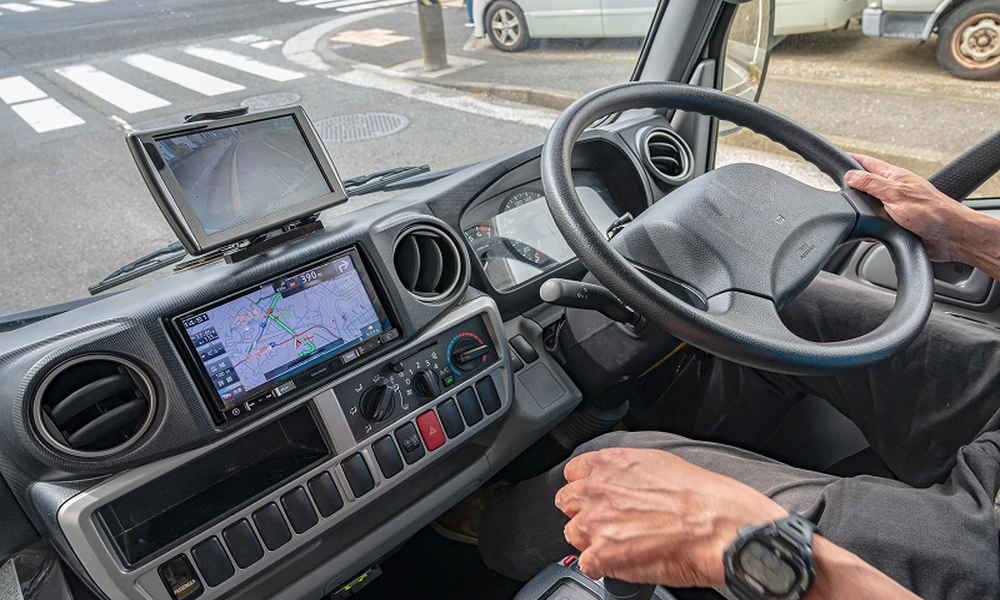
Introducing a vehicle tracking system into an active fleet requires careful planning. Integrating new technology often carries the risk of operational downtime or resistance from staff if managed improperly. By following a structured implementation strategy, businesses can adopt tracking technology seamlessly while maintaining daily productivity.
Assess Your Current Fleet Operations Before Implementation
Before adopting any technology, evaluate existing daily workflows and maintenance schedules. Identify peak operational hours, critical delivery routes, and regular maintenance windows to understand when fleet activity is lowest.
Reviewing fleet operations ensures that new hardware installations do not interfere with high-demand periods. This assessment highlights potential scheduling conflicts early in the process.
- Identify peak and off-peak operational hours for all vehicles.
- Document existing driver schedules and shift patterns.
- Map out routine maintenance windows.
Understanding these operational baselines ensures a smooth transition without causing unexpected service delays.
Define What You Need the Vehicle Tracking System to Achieve
Establishing clear objectives helps select the correct technology and measure success post-implementation. Common goals include reducing fuel consumption, improving route efficiency, enhancing driver safety, or improving maintenance scheduling.
Clear targets prevent unnecessary feature adoption and keep the project focused on specific business requirements. Defining these metrics early also provides clear benchmarks for evaluating performance.
- Fuel Efficiency: Lower idle times and optimize route planning.
- Safety Monitoring: Track speeding, harsh braking, and driver behavior.
- Maintenance: Automate service reminders based on mileage data.
- Customer Service: Provide accurate estimated arrival times.
Clear objectives ensure the vehicle tracking system aligns directly with long-term operational priorities.
Choose a Vehicle Tracking System That Fits Your Fleet
Select hardware and software that complement your specific vehicle types and operational demands. The system must support the technical requirements of light commercial vehicles, heavy goods vehicles, or mixed fleets.
Compatibility with existing fleet management tools prevents data fragmentation across different systems. Selecting a flexible solution minimizes technical issues during integration.
- Ensure compatibility with various vehicle makes and models.
- Verify software integration capabilities with existing systems.
- Choose plug-and-play or hardwired devices based on security needs.
Selecting compatible technology avoids unnecessary hardware retrofitting and reduces installation complexity.
Plan Installation Around Existing Fleet Schedules
Hardware installation should occur during scheduled downtime or routine maintenance windows to avoid removing vehicles from active service. Staggering installations ensures that core transport capacity remains unaffected.
Coordinating with certified installers allows work to happen overnight or during weekends. This approach prevents disruption to regular delivery timelines.
- Schedule installations during planned maintenance days.
- Use mobile installation technicians who visit your site.
- Limit the number of vehicles offline at any single time.
Aligning installation with existing downtime keeps the wider fleet operating without interruption.
Start With a Small Vehicle Tracking System Pilot
Implement the technology across a small, representative subset of vehicles before attempting a full deployment. Select a mix of routes and vehicle types to gather practical operational insights.
A pilot phase reveals unexpected technical or logistical challenges in a controlled environment. Adjustments can then be made without impacting the wider business.
- Select 5% to 10% of the fleet for initial testing.
- Include different vehicle types and operational routes.
- Gather direct feedback from participating drivers and managers.
Testing on a minor scale validates the deployment process before rolling it out across the entire business.
Test Tracking Data, Alerts and Integrations Before Expansion
Verify that the software accurately records location data, engine diagnostics, and driver alerts during the pilot phase. Ensure that automated reports deliver clear, actionable data to fleet managers.
Confirm that third-party integrations, such as payroll or dispatch software, function as intended. Fixing data discrepancies early prevents larger operational errors later.
- Validate real-time GPS positioning accuracy.
- Test automated alert triggers for speeding or idling.
- Confirm data flow into existing management software.
Thorough data testing ensures that management relies on accurate metrics before full-scale expansion.
Train Drivers and Fleet Staff Before the Full Rollout
Provide practical training for both managers and drivers prior to widespread system activation. Transparent communication regarding the purpose of the tracking technology reduces employee friction and builds trust.
Focus driver training on privacy policies, safety features, and cab hardware usage. Management training should focus on interpreting reports and responding to system alerts effectively.
- Conduct interactive workshops for operational managers.
- Provide drivers with clear guidelines on data usage and privacy.
- Explain the direct benefits, such as automated logbooks and safety features.
Properly trained staff adapt to new workflows quickly, minimizing administrative friction during rollout.
Roll Out the Vehicle Tracking System in Manageable Stages
Deploy the technology across the remaining fleet in phased groups rather than all at once. Phasing the deployment allows support teams to assist users effectively at each stage.
Gradual adoption prevents administrative overwhelm and ensures consistent system monitoring throughout the transition period.
- Group vehicles by department, region, or vehicle category.
- Allow buffer time between each rollout phase to address issues.
- Review performance metrics after each phase completes.
A staged implementation ensures a stable deployment process while maintaining full fleet functionality.
Frequently Asked Questions
How long does it take to install a vehicle tracking system?
Hardwired installations typically take between 30 to 60 minutes per vehicle. Plug-and-play OBD devices can be installed in a few minutes without professional assistance.
Will introducing a tracking system cause vehicle downtime?
Downtime is minimized by scheduling installations during routine maintenance windows, off-peak hours, or weekends. Phasing the installation prevents multiple vehicles from being offline simultaneously.
How do you address driver privacy concerns?
Clear communication policies help address privacy concerns. Distinguish between business and private vehicle use by implementing privacy modes for outside working hours.
Visit Overdrive to explore a vehicle tracking system that can be introduced around your existing fleet schedules, workflows and operational requirements.
