

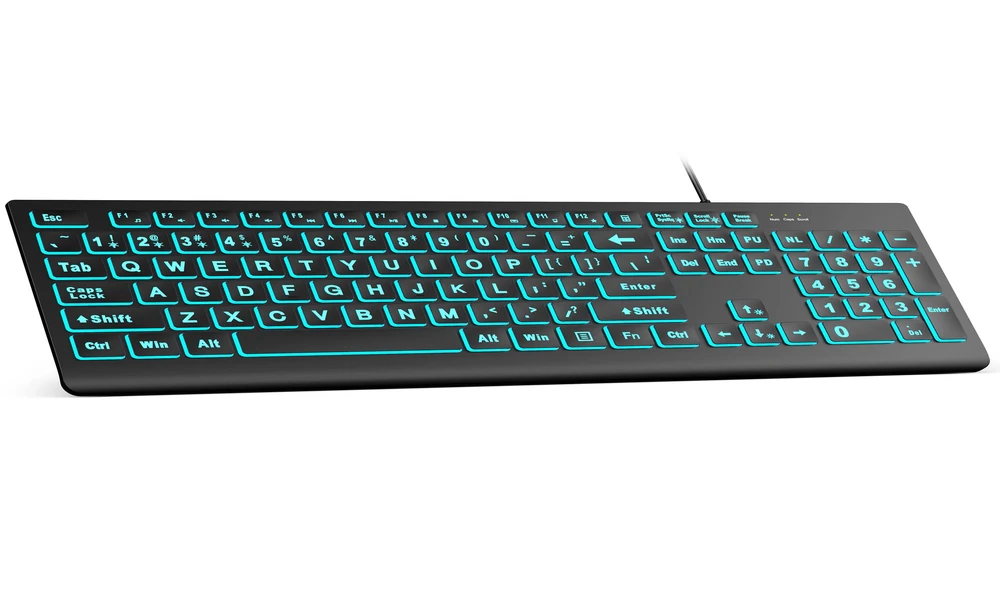
Buying a first mechanical keyboard can be surprisingly confusing. Enthusiast discussions quickly move into switch types, mounting styles, keycap materials, hot-swap sockets, sound profiles, custom firmware, and gaming features that a newcomer may not actually need. The SABLUTE Wireless Mechanical Keyboard and Mouse Combo takes a much simpler approach. It offers a familiar 104-key layout, linear red mechanical switches, wireless and USB-C wired operation, onboard backlighting controls, a rechargeable battery, and a matching mouse in one package. Its retro-style round keys make it visually different from a standard office keyboard, but the underlying functions remain conventional. That combination makes it worth considering specifically from the viewpoint of someone who wants to try mechanical typing without turning the purchase into a technical project. This assessment is based on the supplied product fact sheet, with particular attention to what the keyboard does and does not claim to be.
Why the design can make a first mechanical keyboard feel inviting
Aesthetics are a major part of this product’s identity, but SABLUTE has paired them with a layout that remains immediately recognizable. The round ABS keycaps borrow visual cues from old typewriters, while the decorative electroplated rings and metal top panel help create the modern-retro appearance described in the product brief. Beneath that styling is a complete 104-key layout. There is no need to sacrifice a numpad, function keys, arrows, or navigation controls simply to get the vintage-inspired look. That makes the keyboard a practical option for someone who wants a more expressive desk setup without moving to a compact layout. It also explains why the product is positioned toward home offices, study spaces, and everyday work rather than the enthusiast keyboard niche. The design is intended to be approachable, familiar, and visually distinctive at the same time. That balance is particularly appealing to anyone drawn to a typewriter style keyboard but not ready to give up a familiar modern layout.
Starting with smooth linear switches instead of a highly specialized feel
Mechanical switches are one of the meaningful differences between this combo and an ordinary bundled office keyboard. SABLUTE uses linear red switches, described as light and smooth with no tactile bump. That makes the keystroke feel consistent from the start of the press to the bottom, a characteristic that many everyday typists find easy to adapt to. The switches are rated for roughly 50 million keystrokes, giving the keyboard a durability claim that fits regular work and study use. At the same time, the manufacturer is careful about positioning: this should be treated as an accessible mechanical keyboard, not as a premium custom board or esports device. There are no claims of hot-swappable switches, Hall Effect technology, magnetic switches, adjustable actuation, or ultra-low-latency gaming performance. The selling point is a conventional linear mechanical experience in a practical full-size package.
Keeping familiar full-size keys while changing the typing experience
SABLUTE uses a traditional 104-key footprint, which is worth highlighting in an era of increasingly compact mechanical keyboards. The user gets a full numeric keypad, dedicated arrows and navigation keys, the full F-key row, multimedia controls, and a calculator shortcut. For general productivity, these are not decorative extras; they are the controls many people use repeatedly during a normal day. The dedicated number pad is especially relevant to spreadsheets and data entry, while the navigation cluster can speed movement through long documents. Because the layout is conventional, the visual novelty of the round keycaps does not create a functional learning curve. Users can enjoy the retro-inspired appearance while still working with a keyboard that behaves like a familiar full-size desktop board.
A straightforward connection setup for newcomers
Connectivity is deliberately simple. In wireless mode, the keyboard and mouse share a single 2.4GHz USB receiver, so the combo requires only one receiver rather than separate dongles for each device. A single 2.4GHz USB receiver connects both the keyboard and mouse from up to 26 ft (8 m) under suitable conditions. For a fixed desktop, the more important benefit is the clean one-receiver setup and plug-and-play approach. The keyboard can also operate through a USB-C wired connection, including while it is charging. That gives users a useful fallback if the battery is low or if they simply prefer a cable at the desk. One limitation should be stated clearly: this keyboard does not support Bluetooth. It is not a tri-mode or three-mode keyboard. Buyers who need Bluetooth switching between multiple mobile devices should look elsewhere; buyers comfortable with 2.4GHz wireless plus USB-C wired use get a more straightforward connection model.
Exploring backlighting without installing control software
Lighting is one of the keyboard’s more visible modern touches. SABLUTE lists 17 backlight modes, seven selectable colors, additional RGB-style effects, and as many as 108 lighting combinations. The controls are handled on the keyboard rather than through companion software, and the backlight can be switched off whenever the user prefers a quieter look or wants to conserve power. The keyboard also retains lighting settings, reducing the need to configure the same effect repeatedly. It is important not to oversell the technology. The specification does not include per-key or individually addressable RGB, and there is no software-controlled RGB system. Think of the lighting as built-in decorative and low-light illumination with a broad range of onboard options. For an aesthetic desk setup, that is likely the most relevant use anyway.
Learning the multifunction knob in a few simple actions
Beyond the standard keys, SABLUTE includes a multifunction knob for commonly adjusted settings. The knob supports volume control by rotation and mute or unmute by pressing, while another mode gives access to lighting adjustments and brightness. It is a convenience feature rather than a replacement for the usual function keys, which remain present on the 104-key layout. For a productivity keyboard, that is the better implementation: the user keeps familiar controls while gaining a faster way to reach two settings that change often. The knob also reinforces the board’s desktop-oriented nature, since it is designed to be interacted with throughout a work session.
Battery habits that are easy for a first-time wireless user
SABLUTE gives the keyboard a 5000mAh rechargeable battery and a sensible set of power-saving behaviors. Charging is handled over USB-C, and wired use remains available during the charging process. When the keyboard sits idle, its backlight switches off after approximately two minutes, followed by sleep mode at around ten minutes. Returning to work is as simple as pressing a key. The manufacturer estimates up to roughly 1,000 hours of use with the backlight off, while also noting that actual runtime depends on lighting use, typing frequency, wireless conditions, and other factors. That careful wording is important. The number should not be treated as a fixed promise, but it does show how much the lighting can affect overall endurance. Users who prioritize battery life can simply turn the illumination off.
Switching between Windows and the dedicated Mac mode
The keyboard includes a dedicated Mac mode with switchable Windows and Mac key mapping. In Mac mode, the bottom-row modifier keys are remapped to the familiar Control, Option and Command arrangement, while the function row provides macOS-oriented system, media and productivity shortcuts. The Mac function row is designed for macOS but is not identical to the standard Apple function row: F10-F12 are assigned to Copy, Paste and Select All rather than Apple’s usual audio controls. The dedicated calculator key is not available on macOS.
A bundled mouse makes the first setup more complete
The included mouse is intentionally secondary to the keyboard, but it makes the package more complete. It shares the same 2.4GHz receiver, so the user does not need another USB dongle. The mouse has six buttons, forward and back side controls, quiet left and right clicks, and four DPI settings: 800, 1200, 1600, and 2400. Those options are aimed at ordinary productivity and browsing rather than competitive gaming. Matching the mouse to the keyboard also helps create a coordinated desktop look. For a buyer setting up a new workstation, receiving both input devices in one set can be more convenient than sourcing a separate mouse after choosing the keyboard. The keyboard should remain the star of any review, but the mouse strengthens the argument that this is a complete everyday desktop combo.
What makes this an approachable entry point into mechanical keyboards
For a first-time mechanical keyboard user, familiarity can be more valuable than configurability. SABLUTE does not ask the buyer to give up the number pad, relearn where navigation keys are located, or use function layers for ordinary commands. The linear red switches provide the mechanical component in a simple form: smooth key travel, relatively light actuation, and no tactile bump. That makes the board easier to describe and easier to approach than a highly configurable enthusiast keyboard. The absence of hot-swappable switches may matter later if the user becomes deeply interested in keyboard customization, but it also means there is nothing special to configure before the board can be used. Backlighting is controlled on the keyboard, the receiver is plug-and-play, and the mouse shares the same dongle. For a newcomer, the experience is therefore closer to ‘connect and start typing’ than ‘assemble and tune your setup.’ That accessibility is exactly how the product brief recommends positioning the board.
Features beginners should know are not included
A balanced review also needs to be explicit about the features that are not part of this product. The keyboard does not support Bluetooth and should not be described as tri-mode. The supplied specifications do not include hot-swappable switches, a gasket mount, PBT keycaps, per-key or individually addressable RGB, software-controlled RGB, Hall Effect or magnetic switches, Rapid Trigger, adjustable actuation, ultra-low-latency gaming claims. It is also not positioned as a professional gaming, premium enthusiast, custom, silent, or ergonomic keyboard. These are not small wording details: they define the category in which the SABLUTE combo should be judged. Buyers who require one of those specialist features should choose a product designed specifically around that need. Buyers who do not need them can focus instead on the SABLUTE’s actual strengths: full-size productivity, accessible mechanical switches, distinctive styling, simple wireless setup, rechargeable power, onboard lighting, and the convenience of a matching mouse.
Deciding whether SABLUTE is the right place to start
The SABLUTE combo is most compelling as a first mechanical keyboard for someone who values a recognizable layout and straightforward setup. It offers the feel of linear mechanical switches and the visual personality of round typewriter-style keycaps without requiring the buyer to understand enthusiast features. The full-size layout also reduces the risk of regretting a compact form factor after discovering that a number pad or dedicated navigation keys are still useful. On the other hand, buyers who already know they want hot-swappable switches, boutique keycap materials, advanced sound tuning, Bluetooth device switching, or gaming-specific actuation technology should look at a different category. This product is about making mechanical typing easy to adopt, not about maximizing modification potential.
As a retro mechanical keyboard aimed at mainstream users, the SABLUTE set emphasizes approachable features and familiar controls rather than enthusiast-only customization.
