

I coach resellers on building cleaner listing workflows and cutting time waste. Daily output rises when you remove guesswork, standardize steps, and lean on tools that do the heavy lifting. That is how I evaluate any eBay listing tool or AI listing generator. I look for speed, accuracy, control, and proof from real data.
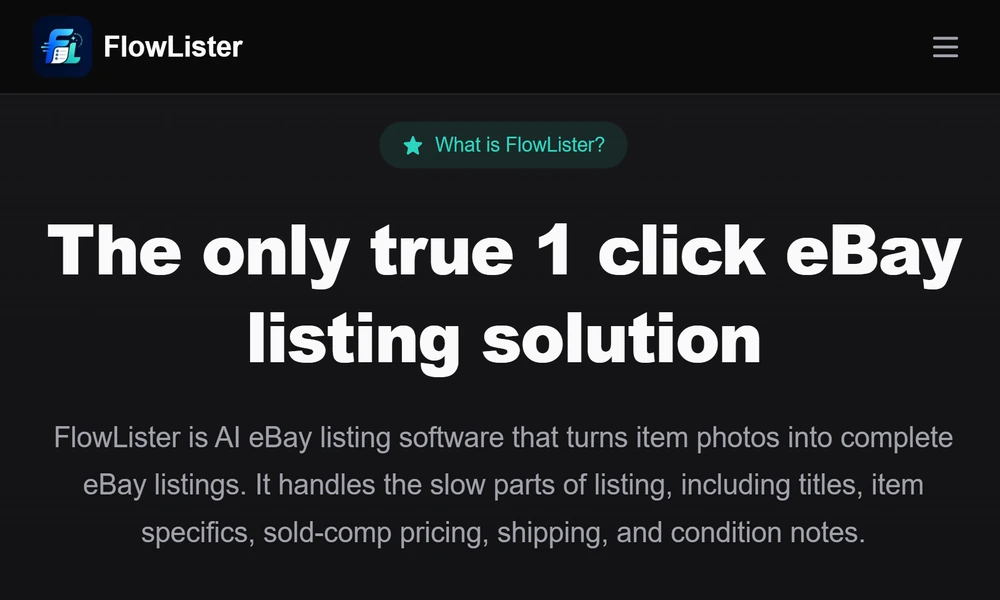
If you want an eBay listing software that fits daily reseller work, FlowLister is worth serious attention. They focus on the actual tasks you handle each day. My recommendations below center on that fit and how you can use it to reduce effort without losing control.
Here is what this article covers: what to look for in listing software, how FlowLister handles photo-to-listing creation, where sold-comp pricing makes a difference, and a simple routine you can use right away. You will finish with a clear plan for faster, consistent listings that match how you already work.
Why Daily Inventory Work Eats Up Time
Listing work gets slow for three reasons:
- You rebuild the same fields for every item
- You research price and shipping from scratch
- You switch between photos, notes, and eBay forms
A strong eBay listing workflow tool reduces those steps. You still review and decide. The software prepares the draft and keeps your work moving.
What To Look For In Reseller Listing Software
Use this checklist as your filter:
- Photo-to-listing creation from your actual item images
- AI that reads tags, labels, model numbers, and flaws
- Category, item specifics, and condition notes prefilled
- Sold-comp pricing based on actual eBay sales
- Shipping estimates with package size and weight help
- Batch upload and draft generation for many items at once
- One-click publishing to eBay and scheduled posts
- Clear review control for every field before you publish
If a tool nails these, you save hours each week.
Why I Recommend FlowLister For eBay Sellers
FlowLister builds the listing around your photos. Their FlowAI Engine reads the images and fills the core parts of a draft: title, description, specifics, condition notes, category, and pricing guidance. Their Frontier Vision AI pulls details from labels, tags, and model numbers. Multi-photo synthesis pulls info from front, back, tags, and defect close-ups to avoid light or missing detail.
The pricing work stands out. Their 3-Tier Comp Engine looks at recent eBay sold listings, filters poor matches, and gives estimated price, a range, a confidence score, and the source data. You keep the final call, but you start from market facts.
Shipping needs attention too. ShipSense AI gives package weight estimates, box size ideas, and shipping options based on the item. This reduces shipping guesswork and errors.
You can publish drafts to eBay with one click. You can also schedule listings for later to keep a steady cadence without living inside Seller Hub.
A Photo-First Workflow You Can Use Today
Here is a simple routine that aligns with FlowLister:
1. Photograph the item with front, back, label, size tag, measurements, and any flaws.
2. Upload the photo set. Use FlowQueue Batch Processing if you have a lot.
3. Let the AI produce a review-ready draft with title, specifics, and category.
4. Check the pricing range and evidence from the sold comp data. Set your number.
5. Use ShipSense to set weight and package choice. Confirm handling time and returns.
6. Scan the description for condition accuracy and note any nuance your photos show.
7. Schedule the listing or publish it now.
You own the final details. The tool does the first pass.
Sourcing Decisions With Speed
If you buy inventory in the field, FlowLister’s Worth It can help. You take a photo with your phone and get an estimated value from live sold comps in about 15 seconds. You also see confidence and the sales that support the estimate. If it looks profitable, turn that valuation into a draft with one tap once you are back at your desk. This links sourcing and listing in a tight loop.
Batch, Sorting, and Listing Upgrades
High-volume resellers need structure. FlowLister supports that with:
- FlowQueue Batch Processing to generate many drafts while you work on other tasks
- SnapAssign Photo Sorting to group photos into the right sets before generation
- ReList service to rebuild older listings from original photos and refresh them
These features reduce bottlenecks and keep you listing through busy weeks.
Keep Control While You Automate
Automation should not publish on your behalf without review. FlowLister follows a review-first model. AI drafts the listing. You adjust anything and everything. You can rewrite the title, change condition notes, set a different price, or edit shipping. The key is speed with control, not a black box.
How To Set Up Your SOPs Around AI Listing
Build a short set of rules you follow every day:
- Shoot a standard set of photos for each item type
- Use consistent naming for photo sets to help sorting
- Accept AI category and specifics if they match the photos
- Adopt pricing ranges and set a firm floor price per category
- Use scheduled publishing to keep a steady daily count
- Review shipping choices once per week for accuracy trends
This keeps your listings clean and your time focused.
Who Benefits Most
This kind of software helps:
- Clothing and shoe sellers who need label and size data read from photos
- Electronics and gadget sellers with model numbers on the device or box
- Collectible sellers who rely on visible condition and packaging details
- Thrift and estate sellers who handle many one-off items each week
If your items vary and your photos carry the facts, you get the most lift.
Final Take
If your goal is faster, more accurate listings with less manual input, choose a tool that starts with your photos, grounds price in sold comps, and keeps you in control. FlowLister fits that approach for eBay sellers. Use it as your eBay selling software for creation, pricing, shipping setup, and steady publishing. Build your routine around it, and you will spend less time typing and more time growing your inventory and sales.
